One specific feature of Atom I like is the “find and replace” for a specific folder (ctrl+shift+F by default on Debian).
It could be extremely powerful when the regex mode is on.
Let me give you an example. Yesterday I had to replace all \code{sometext}
with 'sometext' which represented dozens of matches in several files.
Well, it was not hard at all! All I had to do once the regex mode was on (see
where the pointer is on the image below) was to remember the right
regex:
\\code\{([a-z A-Z]*)\}
A brief explanation:
\is the escape character[ ]to select characters,a-z(A-Z) all lower (upper) case letters,*an arbitrary number of time the preceding pattern,- the content within
( )could be used as a variable$1($2for the next pair of brackets, if any, and so forth).
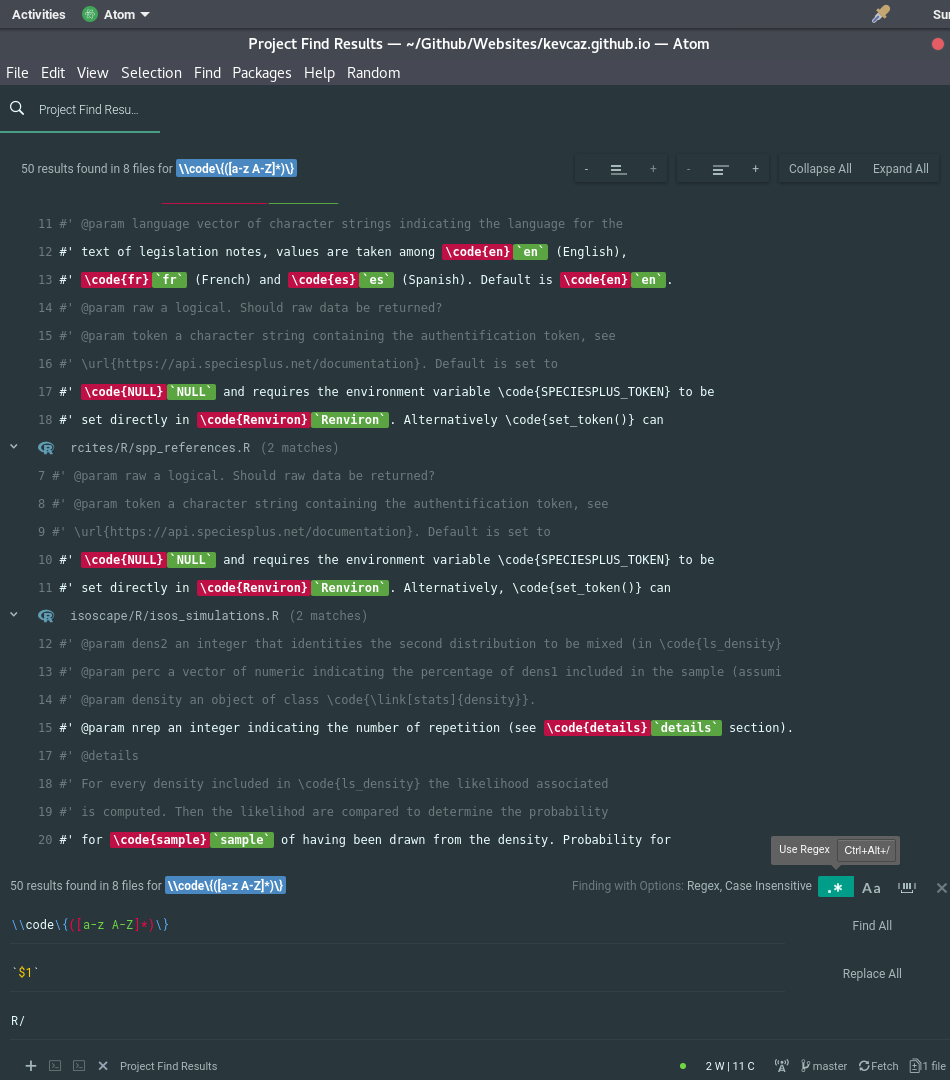
The preview is also really helpful, as you can see if you are doing the right changes 😄.